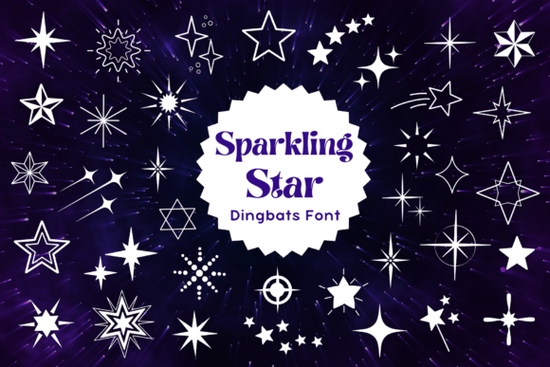
If you’ve ever needed a quick way to add playful, eye-catching star graphics to your designs without hunting through icon libraries, a dingbat font like Sparkling Star Font might be exactly what you’re looking for. Unlike standard letter fonts, dingbat fonts use each key to output a symbol so typing “A” might give you a solid star, “B” a burst, and “C” a constellation. The Sparkling Star Font is packed with just these kinds of whimsical, space-inspired glyphs, making it ideal for everything from birthday invites to holiday cards and kids’ party decor.
What makes this font especially handy is that it’s vector-based, so you can scale it up or down without losing quality perfect for both digital projects and printed crafts. Whether you’re designing stickers, t-shirts, greeting cards, or classroom decorations, having all your star-themed elements in one easy-to-use font saves time and keeps your workflow smooth.
What kinds of projects work best with Sparkling Star Font?
This dingbat set shines (pun intended) in creative contexts where fun, festivity, or a touch of cosmic charm matters. Here are a few real-world uses:
- Kids’ birthday invitations – Mix solid and outlined stars for dynamic layouts.
- Holiday crafts – Think Fourth of July, New Year’s Eve, or even Christmas ornaments with subtle sparkle motifs.
- Space-themed classroom materials – Reward charts, bulletin boards, or educational printables.
- Print-on-demand products – Mugs, tote bags, or phone cases featuring celestial or celebratory designs.
- Social media graphics – Add decorative accents to quotes, announcements, or seasonal posts.
Because the glyphs are part of a font file, you can recolor them instantly in any design software that supports OpenType fonts no need to trace or convert raster images.
How is a dingbat font different from regular clip art?
Many crafters start by downloading PNG or SVG files for individual icons, but managing dozens of separate assets can get messy. With a dingbat font like Sparkling Star Dingbats, every symbol lives inside a single, lightweight font file. That means:
- You install it once and access it forever in your font menu.
- You can type symbols as easily as letters great for repeating patterns or borders.
- Editing is simple: change size, color, or opacity directly in your design app.
- No licensing confusion per image just one clear license for the whole font.
This approach is especially helpful if you frequently create themed designs and want consistency across projects.
Can I use Sparkling Star Font commercially?
Yes as long as you follow Creative Fabrica’s standard commercial license, which typically allows you to use the font in products you sell (like printed goods or digital templates), provided you don’t redistribute the font file itself. Always double-check the specific license terms included with your download, but for most small businesses and Etsy sellers, it’s a safe, flexible option.
For reference, you can explore the full collection on Sparkling Star Font to see previews and licensing details before purchasing.
Tips for getting the most out of your star dingbats
Here’s how to use this font effectively without overdoing it:
- Pair it wisely – Combine Sparkling Star Font with a clean, readable sans-serif for headings or body text. Avoid using multiple decorative fonts at once.
- Use glyph panels – In apps like Adobe Illustrator or Affinity Designer, open the Glyphs panel to browse all available symbols instead of guessing keystrokes.
- Layer for depth – Overlay a solid star behind an outlined one in a slightly offset position to create a shadow or glow effect.
- Stick to a theme – If you’re doing a galaxy project, mix stars with crescent moons or comets from other compatible dingbat sets but keep the overall look cohesive.
Remember, less is often more. A few well-placed stars can add charm; too many can make a design feel cluttered.
Ready to try it? If you’re working on a festive or space-inspired project this month, installing the Sparkling Star Font could save you hours of searching for the perfect graphic. Just head to Creative Fabrica, grab the font, install it like any other, and start typing stars into existence.
Quick checklist before you start:
- ✅ Confirm your design software supports OpenType fonts.
- ✅ Check the included documentation for a character map (shows which key = which star).
- ✅ Test scaling and recoloring in a blank document first.
- ✅ Back up your font file in case you need to reinstall later.
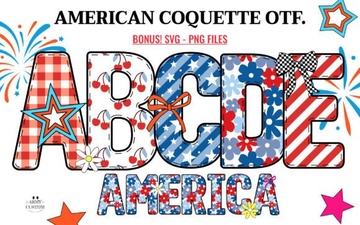 American Coquette Font for Creative Projects
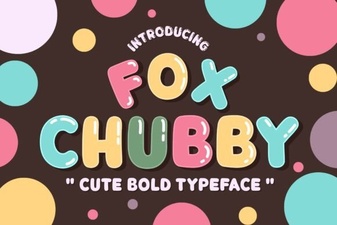 Fox Chubby Font Design & Download Guide
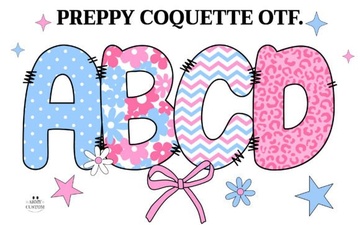 Preppy Coquette Font Styles & Design Ideas
 Emoji Fonts for Web Designers & Creators
 Design Projects with Old English Bundle Fonts
 Spooky Witch Fonts for Halloween Crafts